Google Earth Export
Export selected layers as georeferenced KMZ overlays for Google Earth Pro. Supports time slider animation for multi-date datasets and an embedded colormap legend.
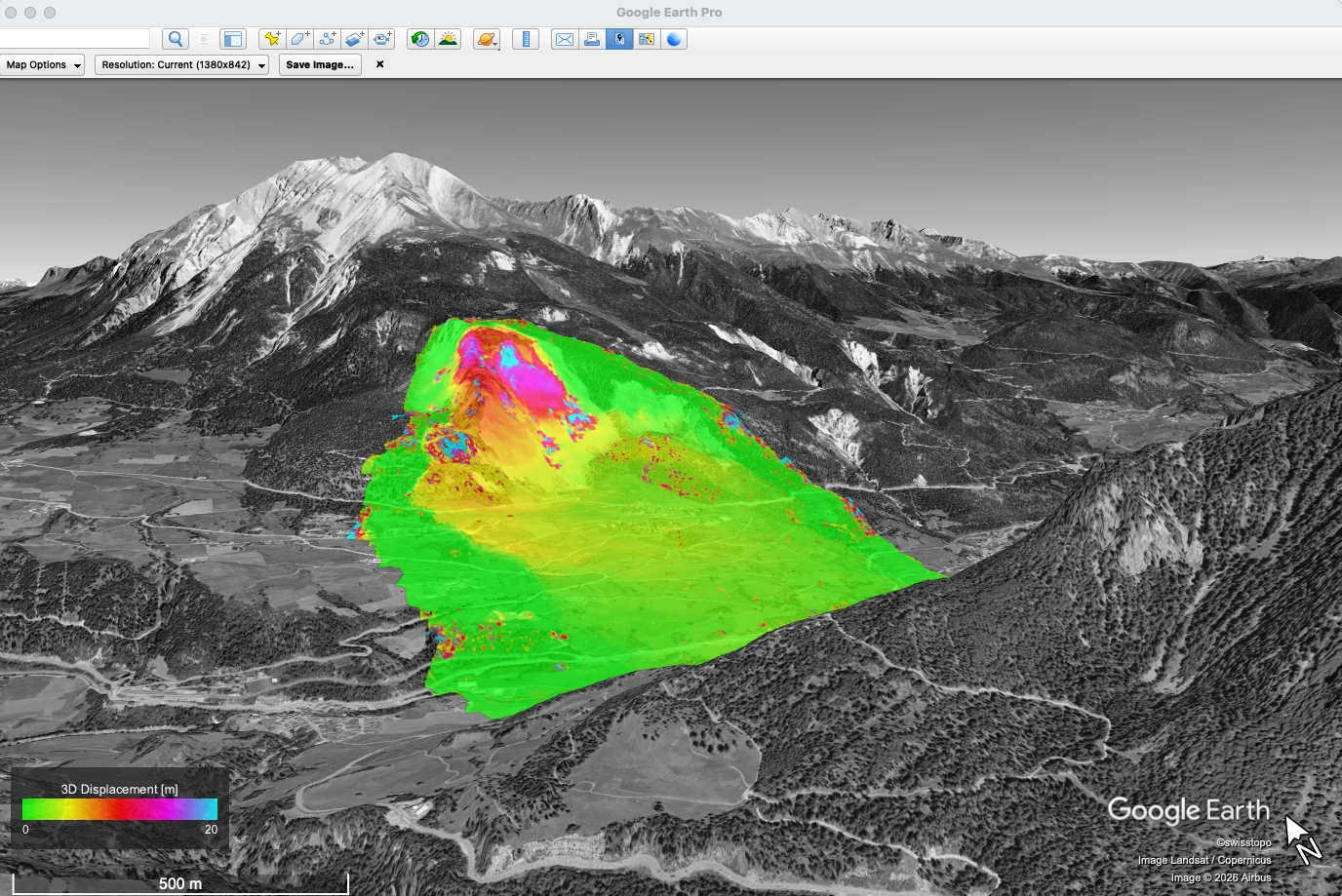
Tick the layers in the layer grid and click 🌍 Export to Google Earth Pro…. The plugin writes one georeferenced KMZ per layer and a master file, DIC_GoogleEarth.kml, that links them all. It then opens the master file with the program that handles KML files on your computer, normally Google Earth Pro, for a quick 3D view with a legend.
Before it writes, it asks whether to save the KMZ files in a kmz subfolder of the output folder. Click No to pick another folder. The GeoPackage layers (points and arrows) can be exported too: they use your arrow settings, and the plugin warns you first, because exporting many points can be very slow.
| Option | Description |
|---|---|
| TimeSpan tags | Adds KML <TimeSpan> tags so Google Earth Pro can animate layers using its time slider. Dates are extracted automatically from output subdirectory names (format YYYYMMDD). It needs at least two dates in the directory name and is switched on for you when there are several time steps. |
| Embed colormap legend | Inserts the colour bar as a screen overlay inside each KMZ, positioned in the bottom-left corner with component name, unit, and min/max values. |
Tip
For a time series, export all layers at once. Each layer gets its own KMZ and the master KML links them, so you can toggle layers independently in Google Earth. With the TimeSpan option on, the time slider of Google Earth Pro animates through them.
The export button is at the bottom of the Results page, next to Load Selected into QGIS. The options are in the collapsed Google Earth export section of that page.